


 Smart, simple food tracking
Change your life. The smart way.
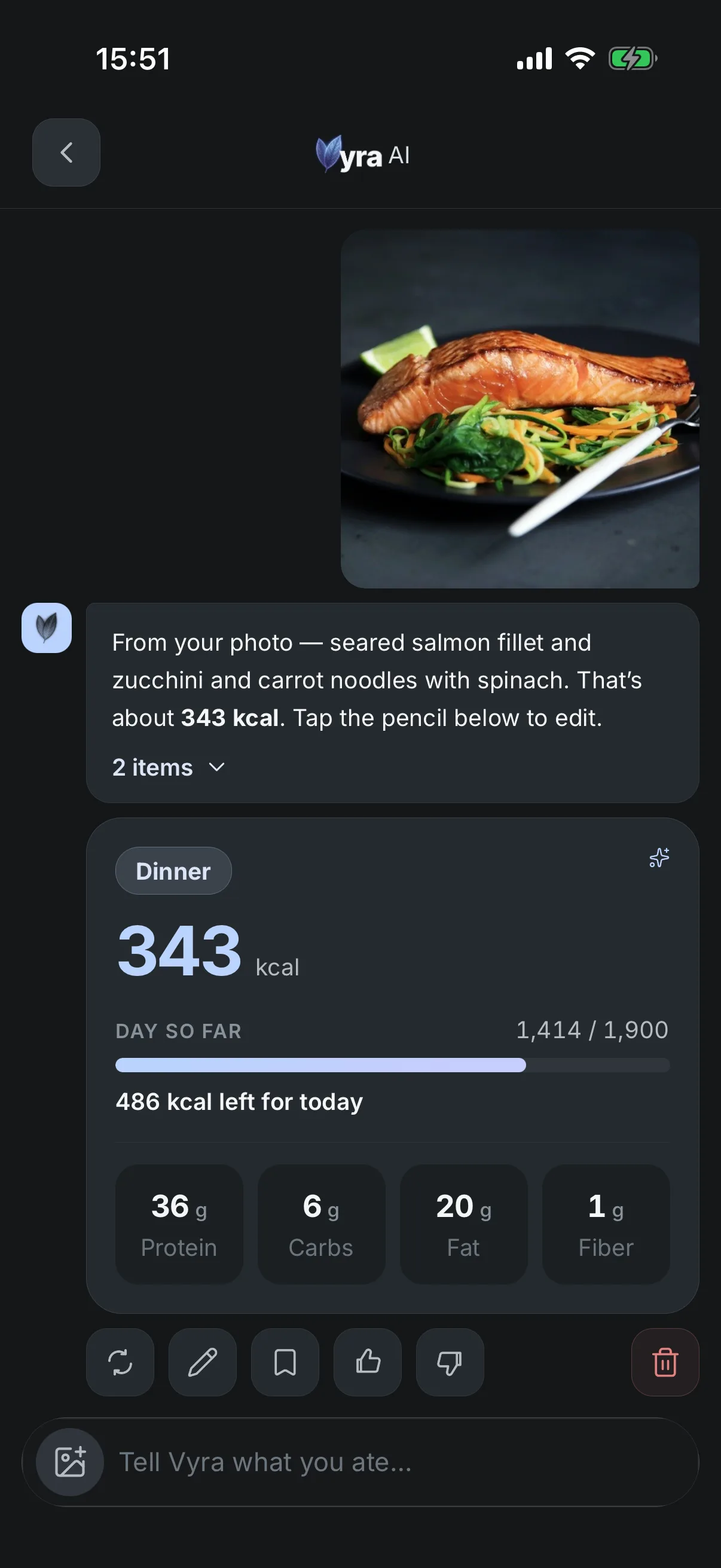
Take a photo of your meal and Vyra does the rest: it recognizes what's on the plate, counts your numbers, and shows what's left in your day. No searching, no weighing, no math. It's your AI health copilot, so as the days add up it shows you what's actually working.


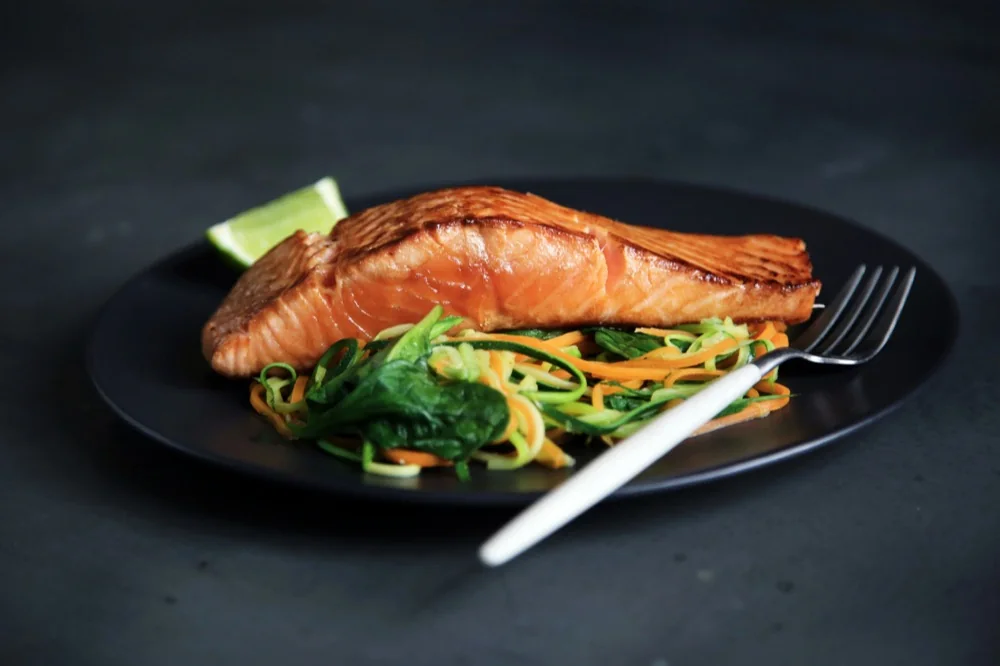 Grilled salmon fillet
Vegetable ribbon salad
Grilled salmon fillet
Vegetable ribbon salad
318 kcal left today
- 48gProtein
- 7gCarbs
- 31gFat
- 2gFiber
Or just say it.
Say what you ate the way you'd say it out loud. Vyra recognizes it and does the counting.
- two eggs and toast
- oats 50g with berries
- a flat white with oat milk
- half a can of tuna
- leftover pasta from last night
- a handful of almonds
- chicken shawarma, no fries
- two slices of margherita
- greek yogurt with honey
- a bowl of pho
Every meal
Smart, simple food tracking.
Photo, barcode, or plain language. Vyra recognizes the food, counts your numbers, and marks anything it had to estimate.
-
Take a photo, or say it
Point your camera at your plate. Prefer words? Just say what you ate: "oats 50g with berries" works. Barcodes too.
-
Vyra counts your numbers
Calories, protein, carbs, fat, fiber, sugar and sodium, from one photo. Tap to adjust anything, and it learns your usual portions.
-
See what's left in your day
Your numbers against the goal you set, and your whole week at a glance. No math, no spreadsheet.
Inside Vyra
Four things Vyra does every day.
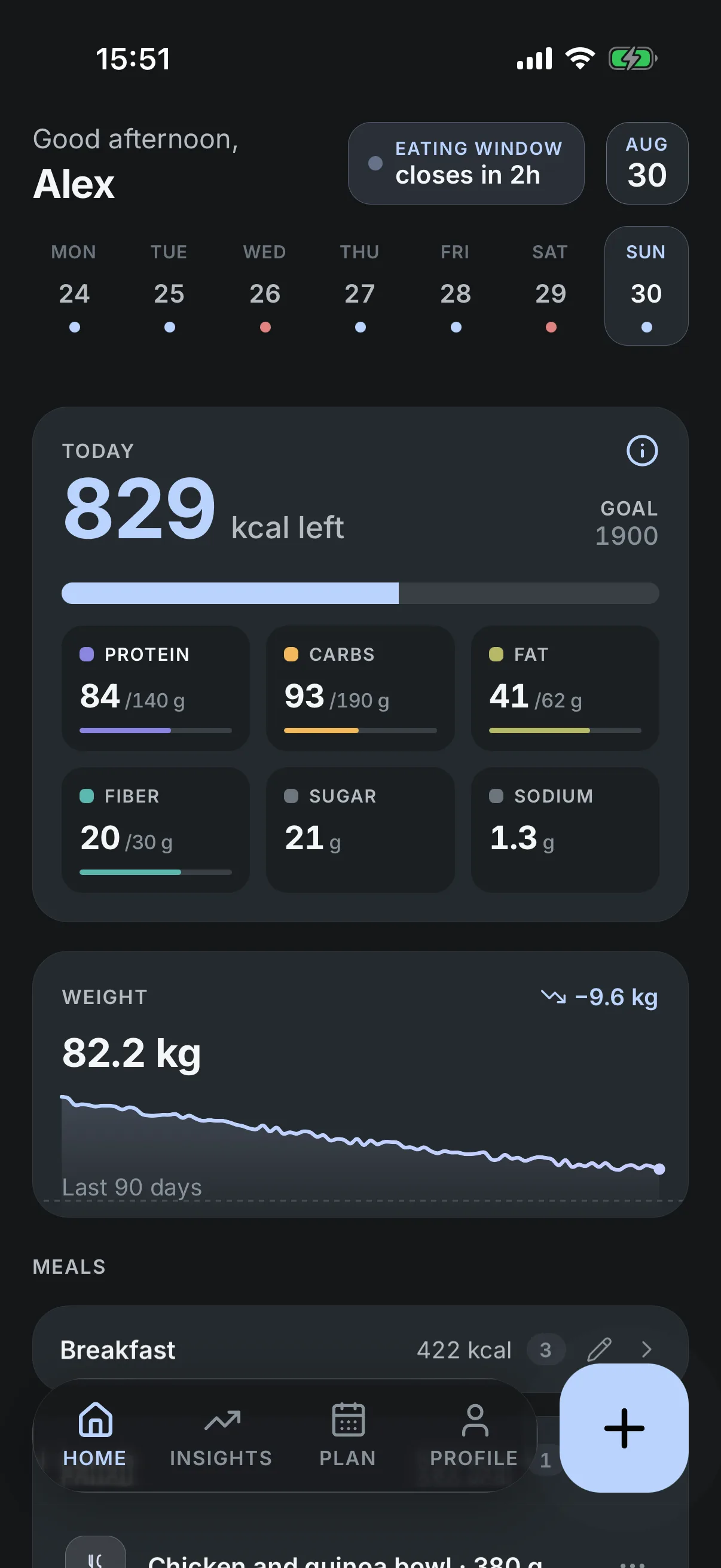
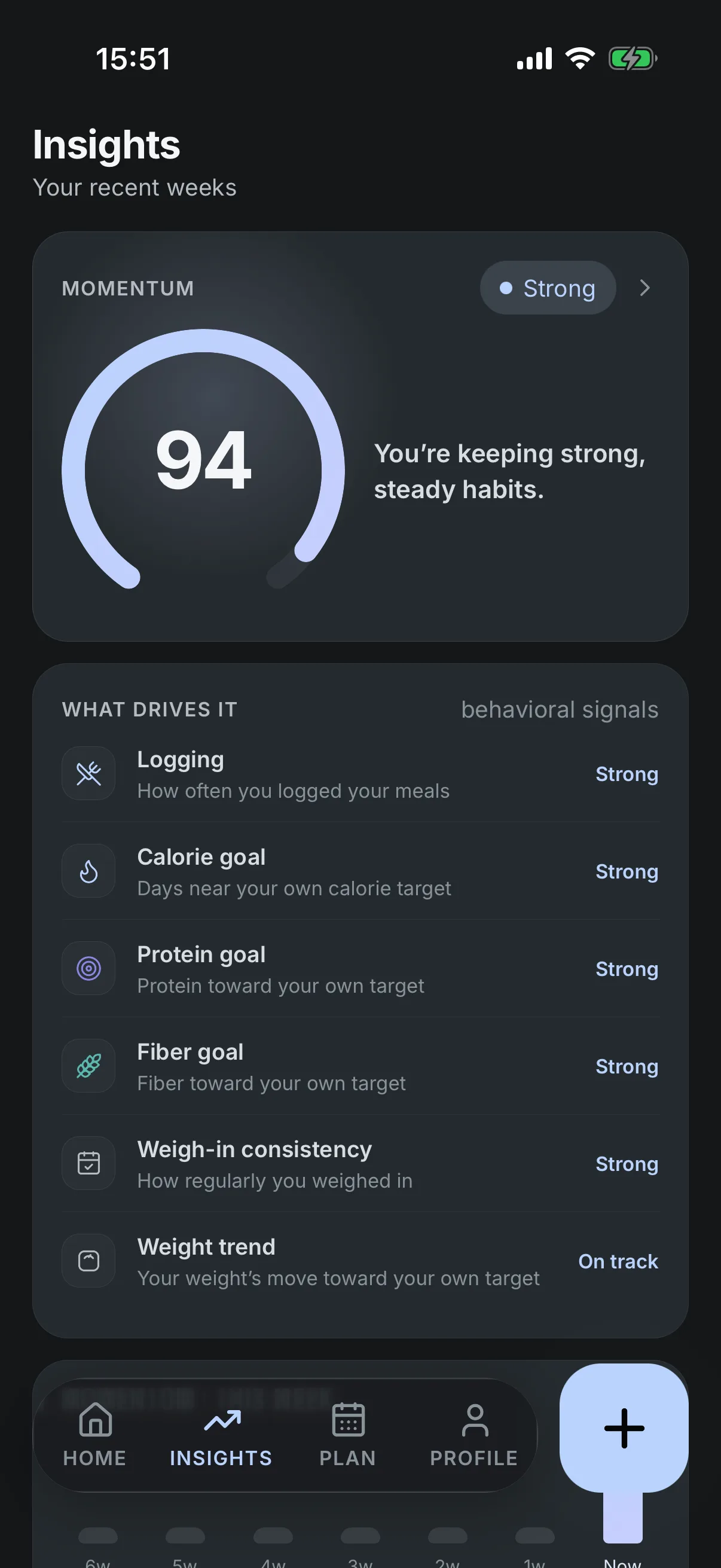
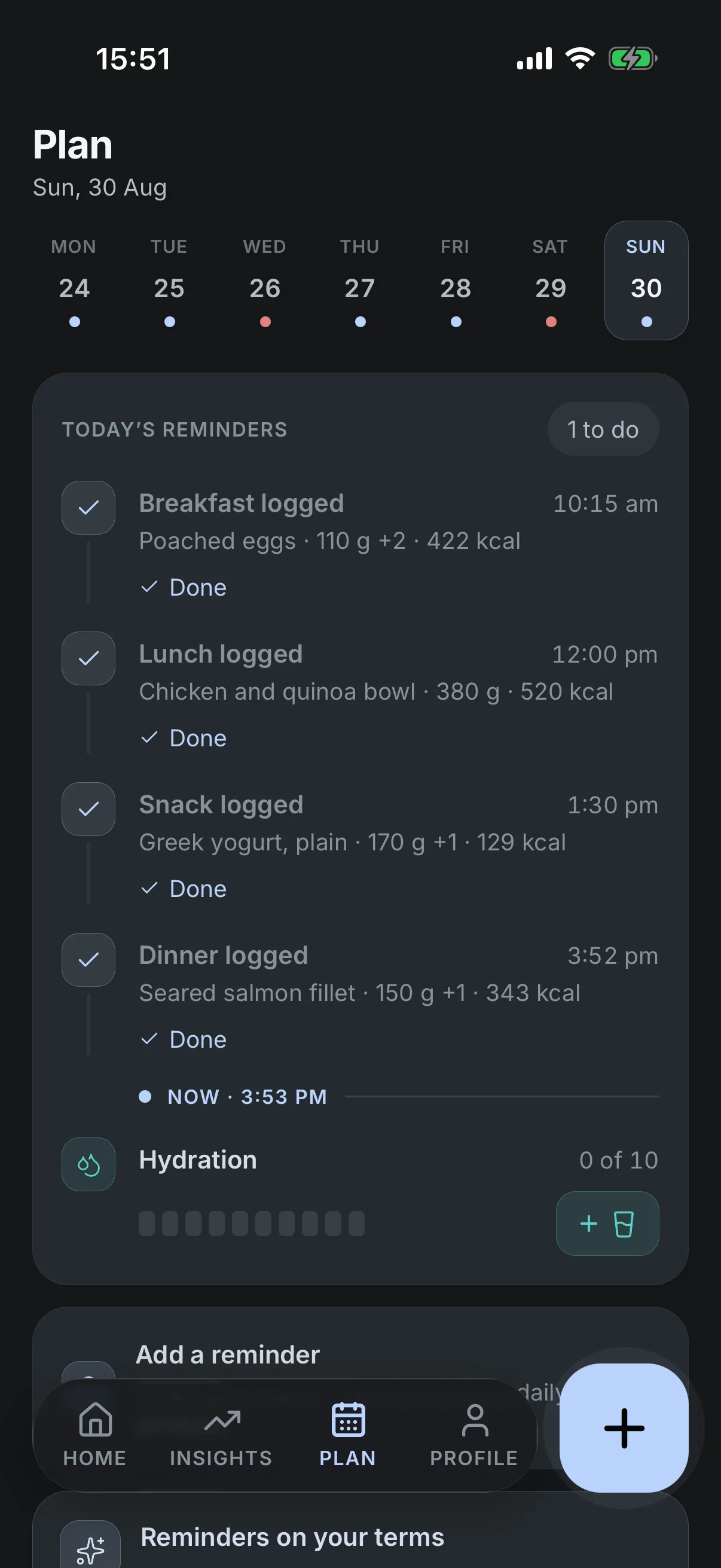
Side by side
The smart way to track what you eat. And to see what's actually working.
What you eat is the everyday part, and it stands on its own. Beside it Vyra keeps your weight and your movement. Seeing them together over time is how what's working finally shows up.
Your lab results are the piece that completes that picture, and they are coming soon: where Vyra is going next, not something it shows you today.
You choose what to connect. Vyra shows you the picture; what it means is yours to decide. Informational, not medical advice.
Everywhere you are
Your numbers, on every screen you own.
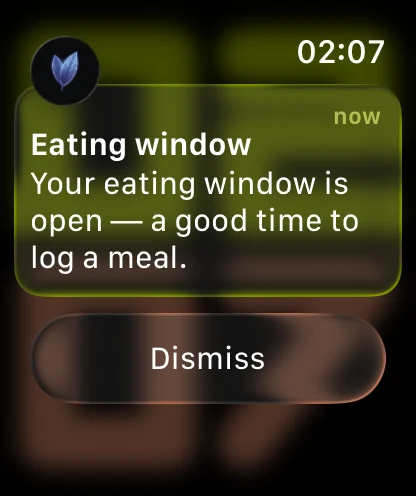
iPhone and Android, with a watch on your wrist, and smart glasses coming in 2027.
Yours to switch on
Turn on what fits how you live.
Everything here is optional. Switch one on and it shows up where you need it. Leave it off and you'd never know it was there.
Eating window
Set the hours you eat in: intermittent fasting, 16:8 through to one meal a day. Vyra shows the window and where you are in it. A guide, not an alarm.
Diet style
Keto, low-carb, high-protein, Mediterranean or balanced: your pick reshapes the numbers Vyra suggests. They stay yours to change.
Apple Health & Health Connect
Steps and weight come in; your meals go back out. Step and energy readings stay on your device. Vyra gets a daily activity summary and, if you count your movement from a tracker, a daily calorie target your phone works out from your tracker’s usual day. A weight reading is saved to your account, like a weigh-in you typed.
Your tracker
Wear an Oura ring, a WHOOP band or a Garmin watch? Vyra counts your movement from it through Apple Health and Health Connect, and what’s left in your day follows what it records.
Roadmap Updated October 2026
Where Vyra is going.
Vyra is your AI health copilot. Today it starts with smart, simple food and calorie tracking. Here’s what comes next, in the order we’re building it.
-
Now
LiveSep 2026Smart, simple food tracking
- Take a photo, scan a barcode or type what you ate. Vyra counts your numbers and shows what’s left in your day.
- A quality score beside every meal.
- Your weight and your movement next to your food, with Momentum each week.
- Eating window, diet style and quiet reminders, with Apple Health and Health Connect.
- Count your movement from the tracker you already wear: Oura, WHOOP, Garmin and more.
11 countries, in English
-
BuildingQ4 2026
Medications and meal ideas
- Keep your medications next to your food. On a GLP-1, track your doses and how you feel too.
- Meal ideas from your own foods to fill what’s left in your day, like a cup of Greek yogurt.
- Yesterday at a glance.
- Reminders that fit your routine.
South Korea, Malaysia, the UK and the EU
-
ComingH1 2027
Faster to track, clearer to read
- Q1Trends across your weight, your numbers and your movement.
- Q1A report you can bring to your doctor.
- Say what you ate out loud.
- Point your camera at your plate and Vyra takes the photo when it spots the food.
- Add recipes from a link or a photo, and restaurant meals by name.
- A full Vyra app on your smart watch.
The Philippines
-
Coming2027
Deeper and more accurate
- Your lab results, from a photo or a PDF, as numbers you can follow over time.
- Glucose from a sensor you already wear.
- Food, weight, medications and labs in one picture. Vyra shows you the picture; what it means is yours to decide.
- More accurate portions, from your phone’s depth camera and Vyra’s own food recognition model.
- Smart glasses.
French, German and Spanish in the app
-
ComingLater
Further out
- Views for living well with type 2 diabetes, high blood pressure, fatty liver disease or PCOS.
- Your medical records, connected with your say-so.
- Share your picture with your doctor or your family, and open it on the web.
- A grocery list built from your meal ideas.
Japanese and Arabic in the app
Tell us what you’d like to see next at [email protected].
My weight wasn't moving. Not for lack of effort. I just couldn't see what was actually working.
Bulat Galeev, founder
Before you start
Questions people ask first.
- Do I have to weigh my food?
- No. Take a photo, scan a barcode, or just say what you ate. A sentence is enough. Vyra recognizes what’s there and does the counting. If you do know the exact amount, you can type it in.
- What if it gets something wrong?
- Tap to correct it and the numbers update right away, and Vyra remembers how you eat that item next time. Anything it had to estimate is marked as an estimate, so you can tell which numbers came from a match.
- Is my health data private?
- It’s encrypted in transit and at rest, never sold, and never used to train AI models. Your step and energy readings from Apple Health or Health Connect stay on your device. Vyra gets a daily activity summary and, if you count your movement from a tracker, a daily calorie target your phone works out from your tracker’s usual day. A weight reading Vyra imports is saved to your account, exactly like a weigh-in you type in yourself. Read the privacy policy.
- What does it cost?
- Seven days free where available, then you choose a plan. You set the subscription up in the store you installed from, and you can cancel there any time.
Change your life. The smart way.